Fewer tabs.
More showing up.
Town Familiar is the civic lookout I built with AI agents for my town, Killingly, Connecticut. It reads the town’s board pages, hearing notices, meeting packets and volunteer listings on a schedule. Then it boils them down to the few things I actually plan around: the next meeting worth attending, the board seats worth a phone call, and the volunteer shifts that fit a family calendar.
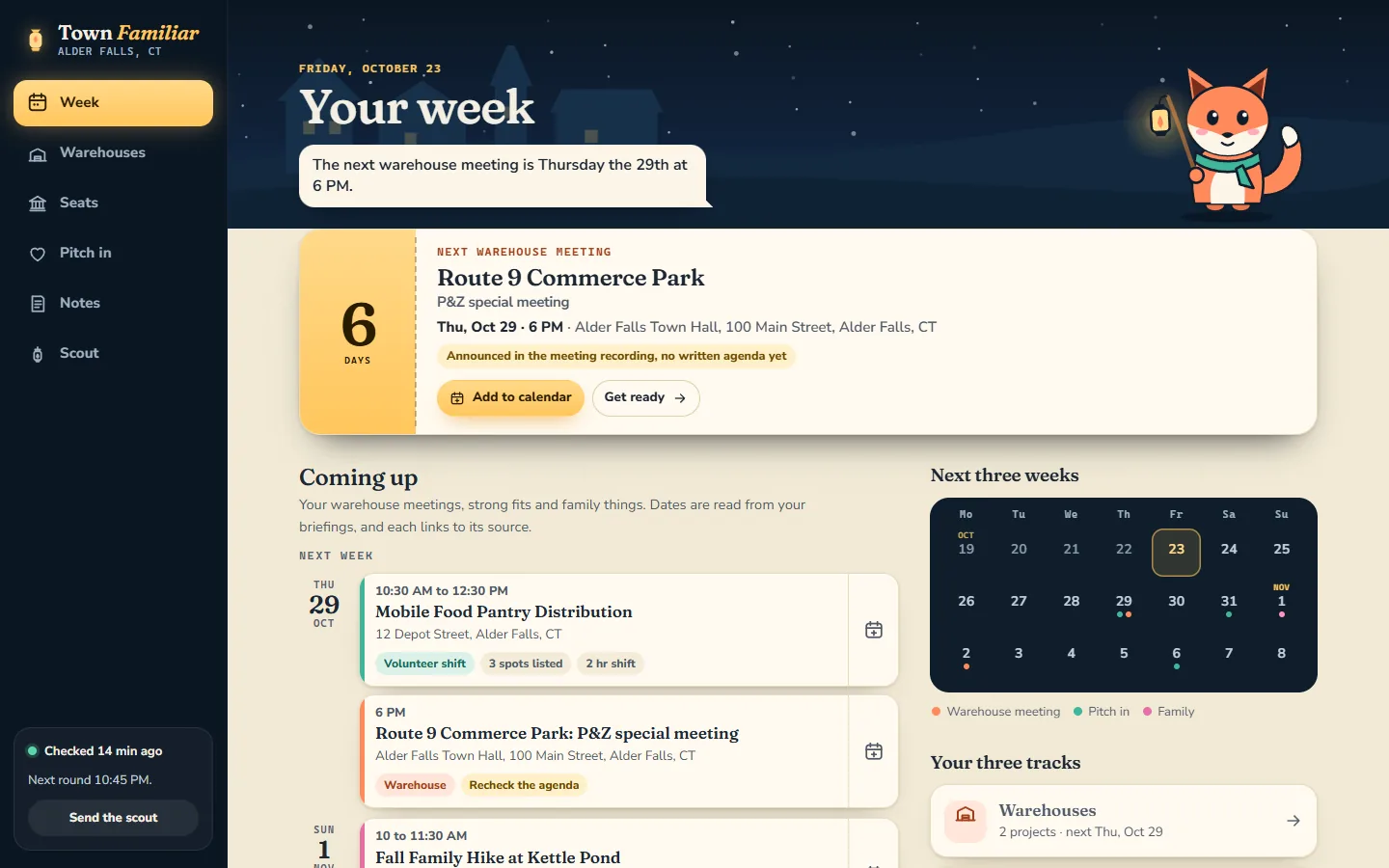
Paying attention to a small town is a part-time job.
Two large warehouse proposals were working their way through Killingly’s land-use boards. Everything about them is public. It is also scattered: a town website, a document portal holding hundreds of PDFs, meeting videos that land days before the written minutes, a vacancy list published as a PDF, and volunteer pages that each keep their own calendar.
I wanted three things out of that pile. Know when the next meeting that matters is, and what changed since the last one. Find a board seat worth applying for without trading a dozen emails. Find volunteer shifts that fit around my family’s week.
It also had to stay neutral. Town Familiar does not tell me what to think about any project. It tells me when, where and what changed, and it points at the page, or the minute of video, that says so.
It reads the boring parts. Carefully.
Town documents are not written for skimming. The line that matters is on page 42 of a scanned packet, or 57 minutes into a recording. Most of the engineering went into reading those sources honestly and saying where every fact came from.
- CheckAbout ten official pages and calendars, every hour, with a strict limit on how much it asks of each one.
- ReadTwo meeting PDFs per round. Text pulled out on the PC, with OCR for scanned pages.
- CompareNew dates, votes, traffic or drainage mentions become flags with a page number attached.
- BriefProjects, seats and shifts become short briefings with sources, plus a desktop alert when something real changes.
Recordings count, carefully.
Written minutes can trail a meeting by weeks. When a hearing date was only announced out loud, the research checked it against the official recording, its captions and a separate transcription made on the PC. The app links straight to the moment, so one tap plays the vote itself.
Advice, never a verdict.
Flags are candidates for me to read, not conclusions. Seat and shift matches are advisory too. They follow a few saved preferences, like regular seats over alternates and short local activities, and every one lists what still needs confirming before I act on it.
Then I asked for the app I actually need.
The first versions were honest dashboards: sources, counts, a queue of changes. Useful to the collector. Less useful to me on a Thursday night, deciding whether to drive to Town Hall.
So the interface went through a short, fast design history. Two AI models designed competing versions from the same brief, and I picked the one with a lantern-carrying fox named Wick. A polish pass made it much better. Then I asked for a ground-up rebuild around what I actually do, and the app became four pages with one job each.
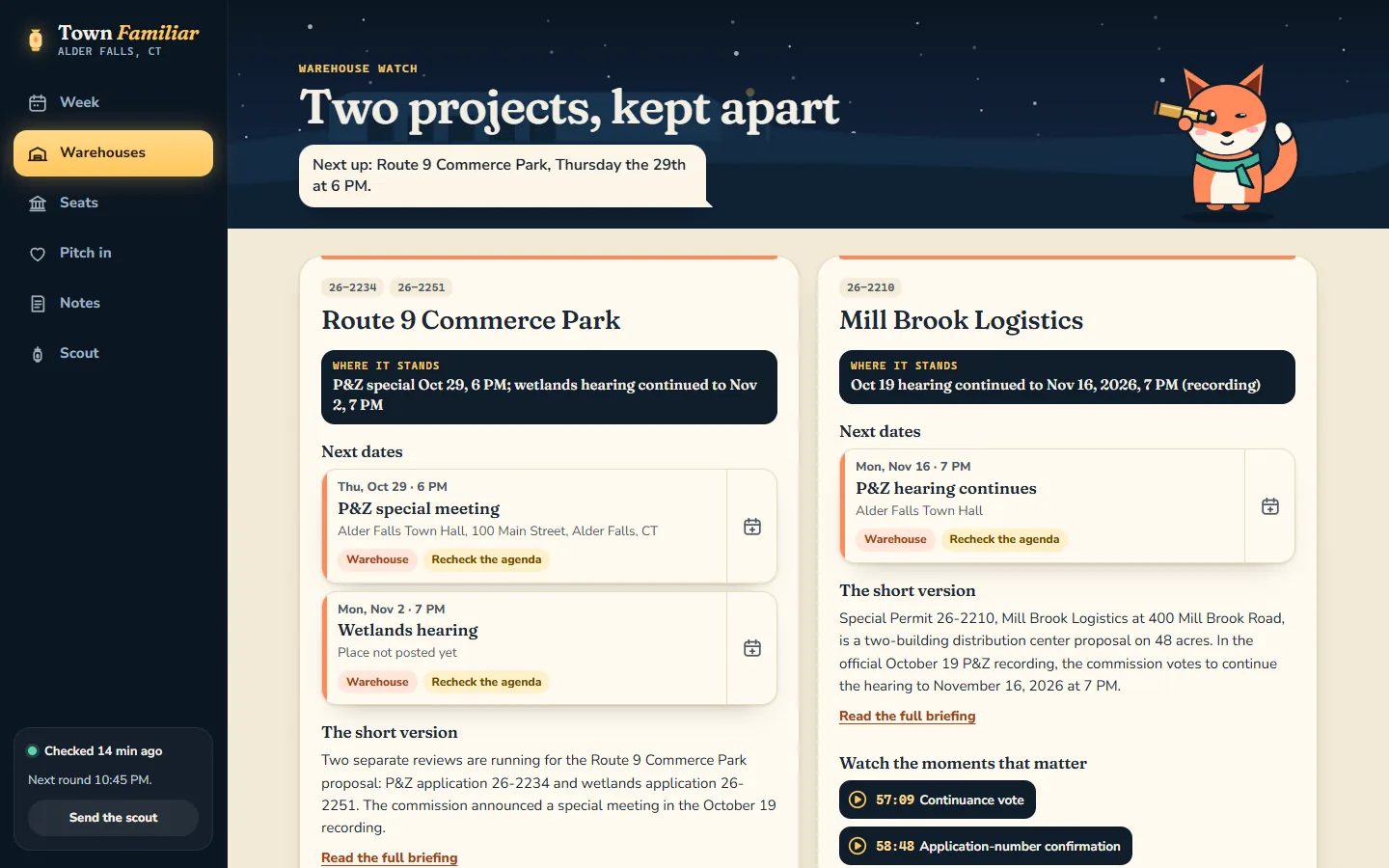
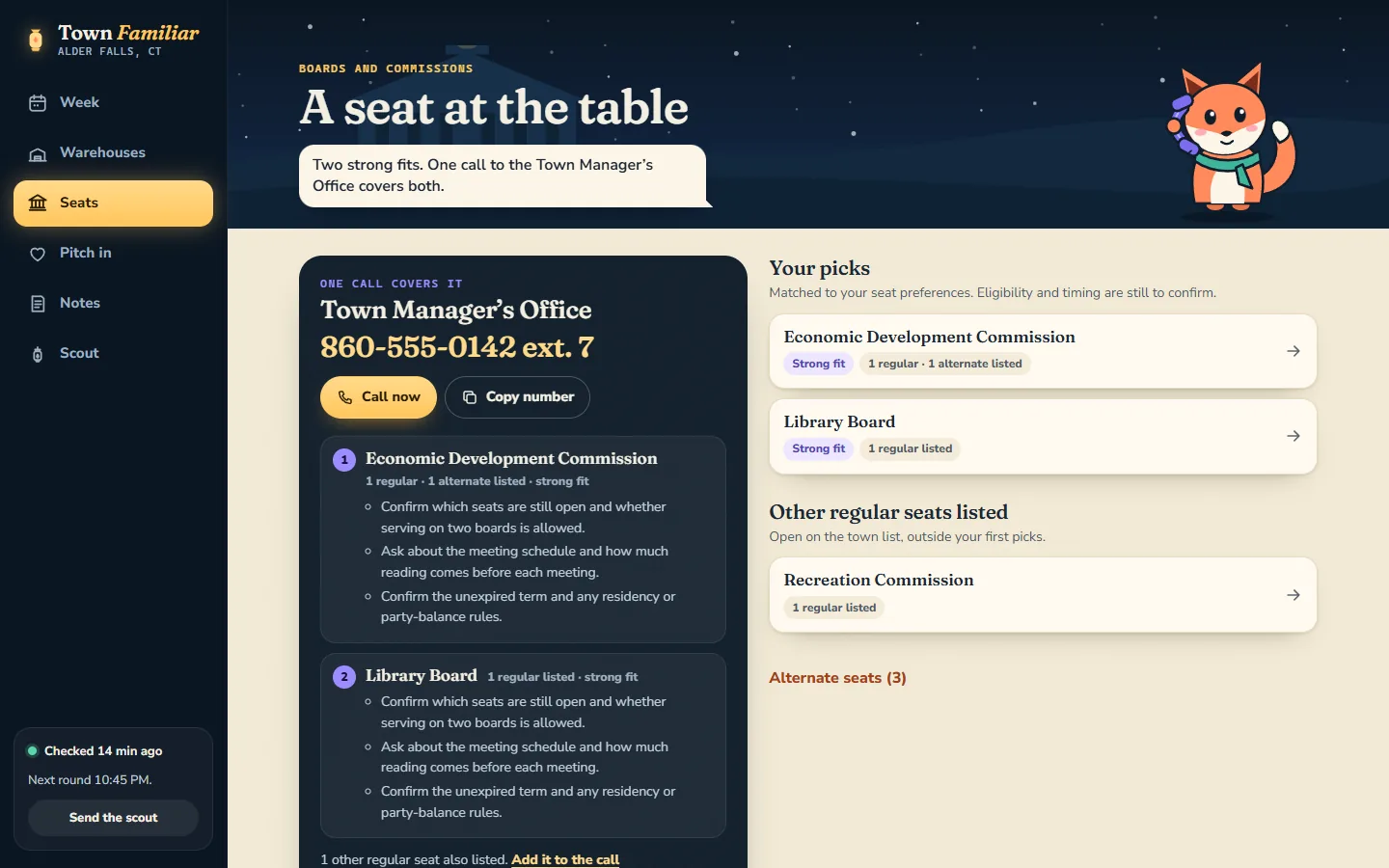
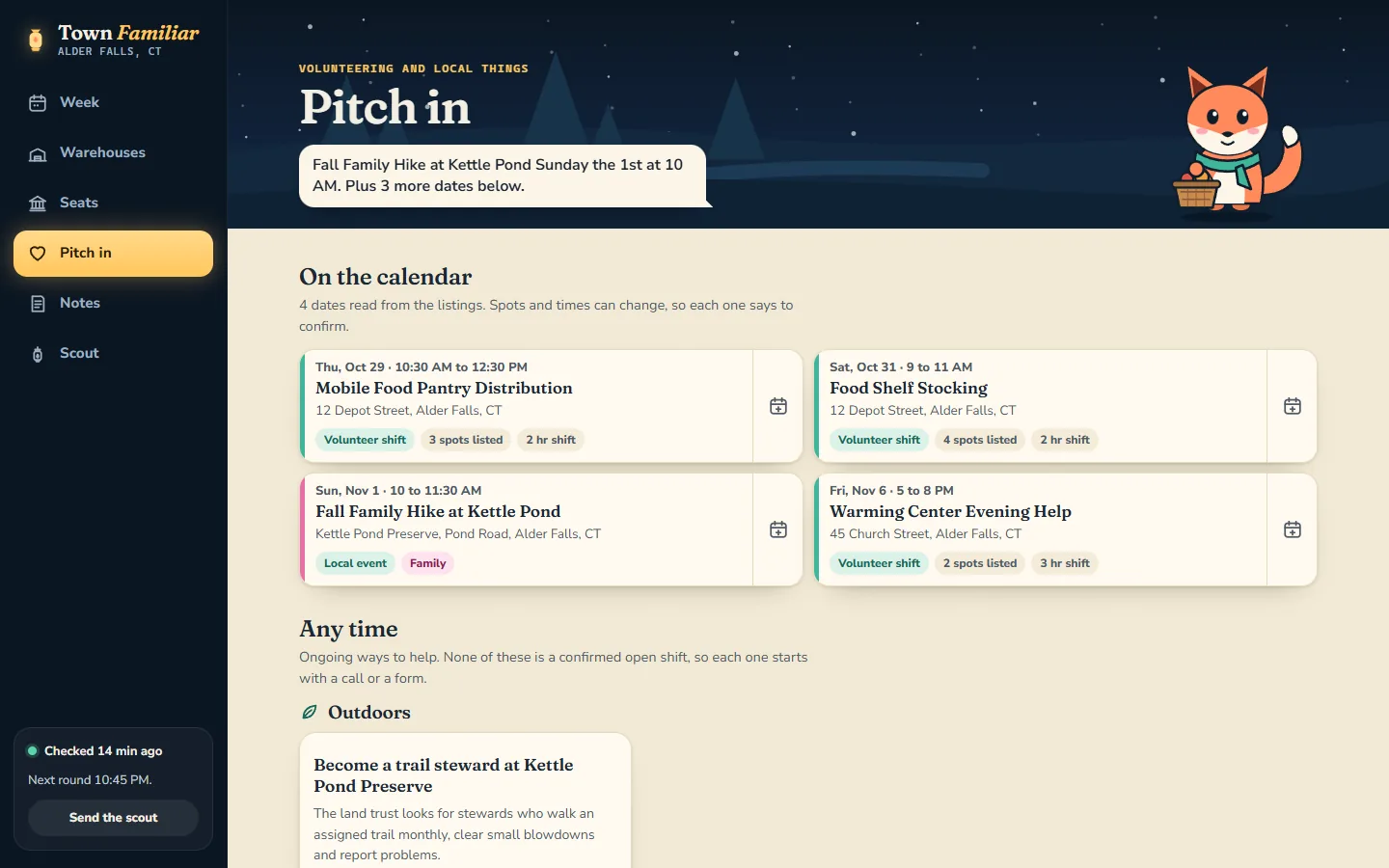
Wick earns his spot.
Wick walks into each page holding the prop for that job: a lantern for the week, a spyglass for the warehouse watch, a phone for the seats, a basket for pitching in, a pencil for notes. He also says the one sentence that matters on each page, in a speech bubble you can read in two seconds.
Reduced-motion settings keep him still. The information never waits on the animation.
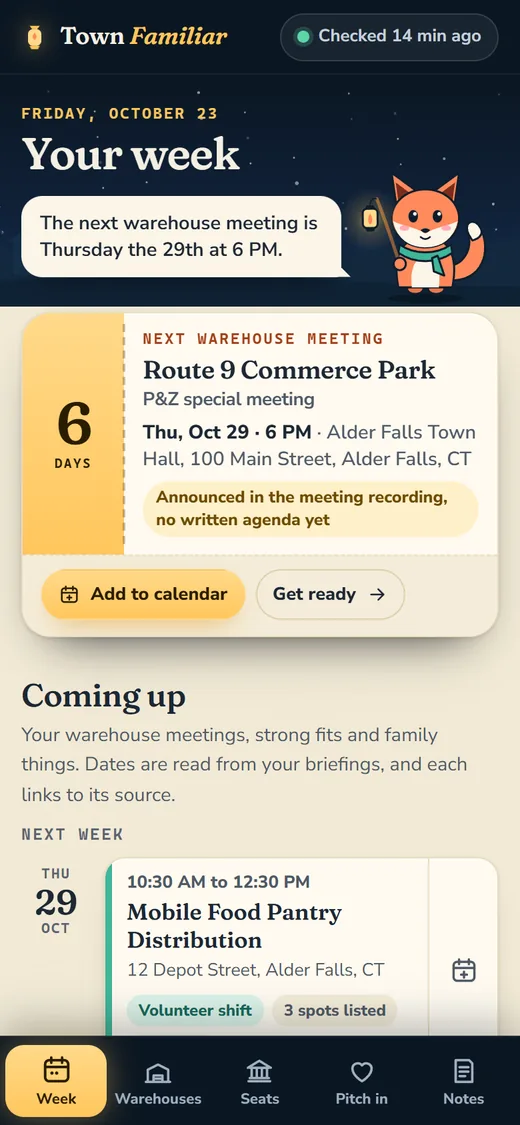
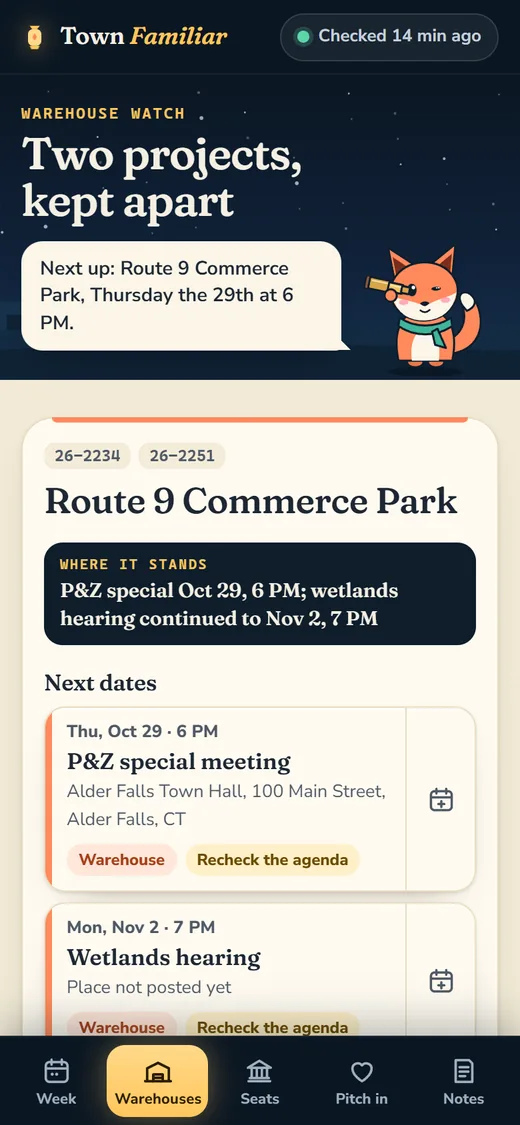
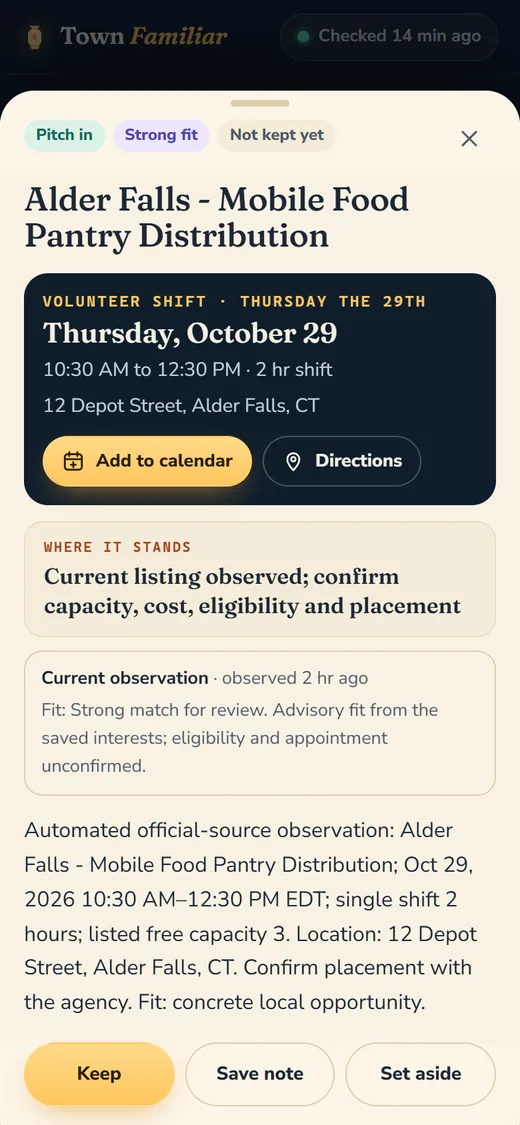
On a phone is where it actually gets used. The phone views are built first; the desktop layout is the stretch version.
Unknown stays unknown.
The most important work in a tool like this is refusing to fill gaps with guesses. A few of the rules that came out of testing and review:
- A board seat that drops off the newest list moves to “ask if these are still open.” Missing is never treated as filled.
- A meeting date that was only announced in a recording says so, with a reminder to check the agenda before driving over.
- When a listing gives no end time, the calendar file says “end time not listed” instead of inventing an hour.
- A link that still loads does not make old research current. Research dates move only when the facts are rechecked.
- If the hosted copy goes stale, the matches stop claiming to be current.
Several of these came from an independent review by a second AI agent, which signed in, used the app and wrote up four problems. All four were fixed and shipped the same night.
It lives on my phone now.
The app installs to a home screen like a native one. Sign-in lasts 30 days and renews while I use it. If the signal drops in a meeting room, the last signed-in snapshot still opens, clearly marked as an offline copy. Saving waits until I am back online, and locking the app wipes the offline copy.
Next on the list: reminders for the meetings and shifts I choose, with quiet hours. That one is planned, not built.
Three days from first check to my home screen.
- A collector on the home PC, checking official sources every hour.
Python and SQLite, scheduled tasks, a first baseline, a hosted app behind a passphrase and a bridge to feed it. No model calls and no new subscriptions.
- Packets, recordings and fits.
A researched catalog of projects, seats and volunteer routes. Meeting-packet reading with OCR, desktop alerts for real changes, and advisory matches for seats and shifts.
- Two AI models, two designs, one fox.
I picked the lantern-lit design with Wick, and it went into the live app that night.
- Four pages built around four goals.
Week, Warehouses, Seats and Pitch in replace the collector dashboard. A second agent reviewed it signed in; its four findings were fixed and shipped that night.
- Home screen, 30-day sign-in, offline copy.
The app installs on a phone, keeps a private offline copy and drops it on lock.
- Next · RemindersPlanned, not built.
Reminders for the meetings and shifts I pick, once I decide which ones I want. A real-phone install check comes first.
What the checks prove. And what they don’t.
Checked in software
The current release passed 25 contract checks on how the app reads briefings and 163 browser checks in Chrome and Firefox: phone and desktop layouts, saving and reloading, sign-in expiry, calendar files, reduced motion, ten data scenarios and an accessibility scan. The collector has its own suite of 59 checks, plus API and bridge tests.
Live checks confirm the signed-out app gives nothing away: no data without a sign-in, and writes from other sites are refused.
Not proven yet
It has not been installed and used on a real iPhone or Android phone yet. Long stretches of unattended running, through reboots and sleep, are untested.
It reads a sample of what the town publishes, not every page, and it is not legal advice or a certified reading of any vote. It is a lookout. I still go to the meeting.
About the pictures. The town is real; the pictures are not. Every screenshot comes from a demo copy with a made-up town name (Alder Falls), made-up projects and application numbers, and a phone number from the 555 range, so nothing on this page can be mistaken for a real Killingly filing. The real app, its sources and my notes stay private.
Record assembled from the project’s own context log, design files, review reports and release notes through October 22, 2026. Built by Mark Salisbury with AI collaborators: Codex built the collector, the research catalog and the hosting; Claude designed and built the current app interface.